01
Hammers
Controlled striking for assembly, hanging, demolition, and general household repair.
↗GearHaven Field Notes
A focused collection of hand tools, power tools, fastening hardware, plumbing fixtures, and electrical essentials selected for practical home repair and dependable everyday work.
24/7
Customer support
Free
Shipping on every product
3–5
Business day delivery
30 Days
Free returns and exchanges
Workshop Standard
The best tool is not the loudest object on the bench. It is the one that feels predictable in the hand, repeats the same result, and stays ready for the next repair.
Balanced hand tools for grip, leverage, striking, measuring, and controlled fastening.
Power tools organized around common drilling, grinding, repair, and installation tasks.
Hardware essentials for secure mounting, movement, access, alignment, and closing.
Plumbing and electrical basics for practical residential maintenance and replacement work.

Tool Families
From first-fix hand tools to final-fit hardware, every family supports a specific stage of everyday repair, installation, adjustment, or maintenance.
01
Controlled striking for assembly, hanging, demolition, and general household repair.
↗02
Grip, turn, pull, bend, and hold components with direct mechanical control.
↗03
Fastener access with magnetic retention for steadier positioning and cleaner assembly.
↗04
Drilling and driving power for wood, hardware, fixtures, mounting, and household projects.
↗05
Material removal, edge work, cleanup, surface preparation, and controlled abrasive tasks.
↗06
Reliable layout, fit checks, spacing, and project planning from first mark to final placement.
↗07
Secure mounting support where direct fastening requires additional hold in the installed surface.
↗08
Smooth movement and consistent alignment for doors, cabinets, panels, and access points.
↗09
Everyday access-control hardware for residential doors, cabinets, and practical replacement work.
↗10
Functional fixture updates for kitchens, bathrooms, utility spaces, and everyday water access.
↗11
Core electrical access points for common residential replacement and maintenance projects.
↗12
Straightforward control points for lighting and practical residential electrical updates.
↗Service Promise
GearHaven is structured to keep the buying experience as practical as the tools themselves, with straightforward service terms that are easy to understand before an order is placed.
Always Available
Questions can arise before checkout, during delivery, or in the middle of a repair. Customer support is available around the clock.
No Shipping Fee
Every product ships free, so the product price is not followed by a separate standard shipping charge.
Predictable Timing
Orders are delivered in an estimated 3–5 business day window, helping you plan purchases around active project schedules.
Low-Friction Returns
Products may be returned or exchanged free within 30 days, giving you a practical window to resolve selection or fit concerns.
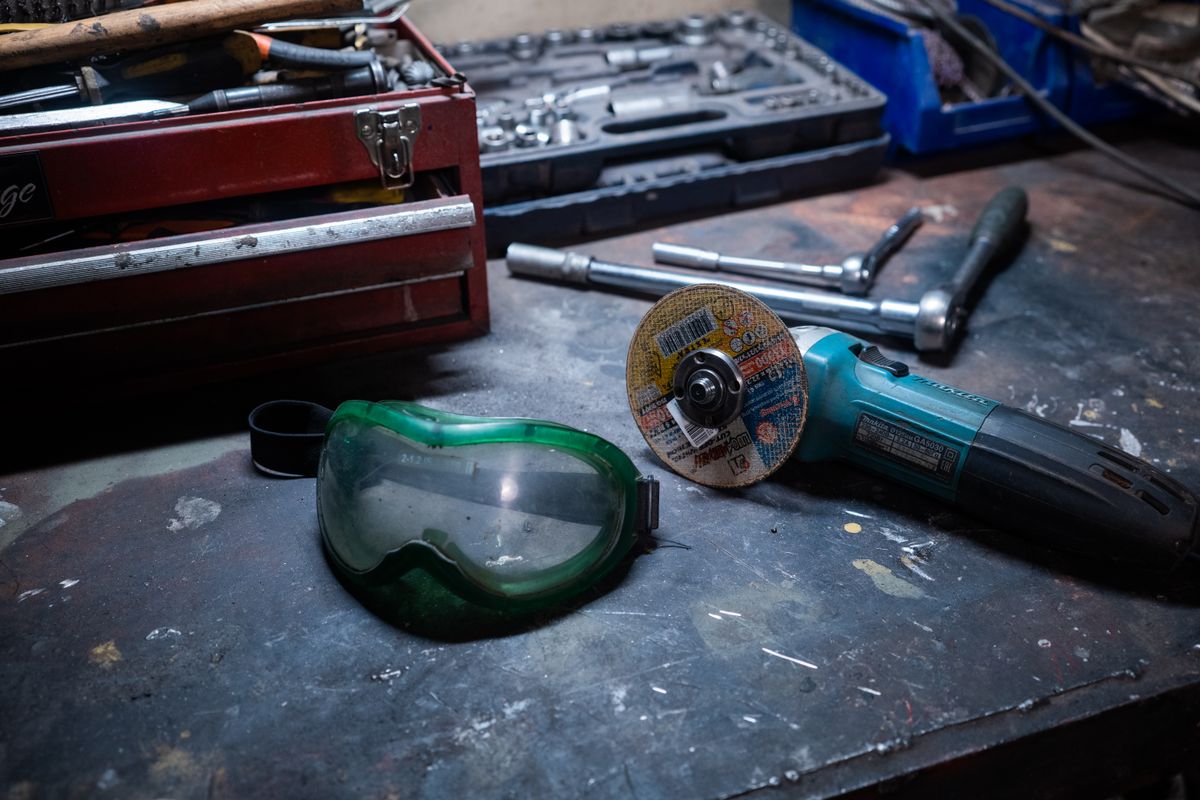
Precision Engineering
Clean results come from the sequence: measure, mark, hold, drill, fasten, and verify. The right tool family supports each step without adding unnecessary complexity.
Measure first. Establish fit, spacing, location, and repeatable reference points before material is altered.
Match the fastener and fitting to the exact installation rather than forcing a near match.
Control the workpiece with steady grip, alignment, and measured pressure before adding power.
Verify alignment, movement, closure, fit, and final operation before considering the project complete.
Selection Guide
A focused selection method keeps the decision centered on what the tool must actually do in the room, at the installation point, or on the workbench.
Identify the primary motion: strike, grip, drive, drill, grind, measure, mount, pivot, secure, control flow, connect, or switch.
Wood, metal, wallboard, cabinetry, plumbing fixtures, and electrical boxes can each change the required tool, hardware, or working approach.
Verify fastener type, opening size, mounting depth, hole location, hinge geometry, fixture spacing, and replacement dimensions before ordering.
Consider reach, clearance, tool angle, nearby surfaces, and whether the tool can stay aligned during its full movement.
Choose the setup that protects surrounding surfaces and allows measured force rather than excessive correction after the fact.
Test movement, hold, alignment, water flow, switching, fastening, or electrical fit as appropriate before the job is treated as complete.
Project Matrix
Use this quick matrix to frame the role each tool family can play across common home improvement, installation, maintenance, and repair work.
Before ordering replacement hardware or fixtures, confirm dimensions, mounting pattern, material, fastener type, installation orientation, and the working clearance around the project.
FAQ
Each answer remains collapsed until selected, keeping the page visually focused while making service and product guidance easy to reach.
No. GearHaven provides free shipping on all products.
The standard delivery window is 3–5 business days.
GearHaven provides free returns and exchanges within 30 days.
Yes. GearHaven customer support is available 24/7.
Start with the required action, the working material, available clearance, and the amount of repeat work. Hand tools provide direct physical control, while power tools can reduce effort for repetitive drilling, driving, or grinding tasks.
Confirm the existing dimensions, mounting-hole spacing, depth, orientation, fastener type, and any clearance needed for movement or installation.
Measure the fixture area and confirm the mounting configuration, available working clearance, and connection arrangement before selecting a replacement.
Confirm the device type and installation requirements for the specific residential setup. Electrical work should be approached carefully and completed in accordance with applicable safety practices and local requirements.
GearHaven Support
For order questions, product guidance, returns, exchanges, or general customer assistance, use the dedicated support page. GearHaven support is available 24/7.

Get product drops, practical tool guidance and workshop-ready ideas delivered directly to your inbox.
